CRA My Account: How to Register, Log In and Use It for Your Taxes in Canada (2026 Guide)
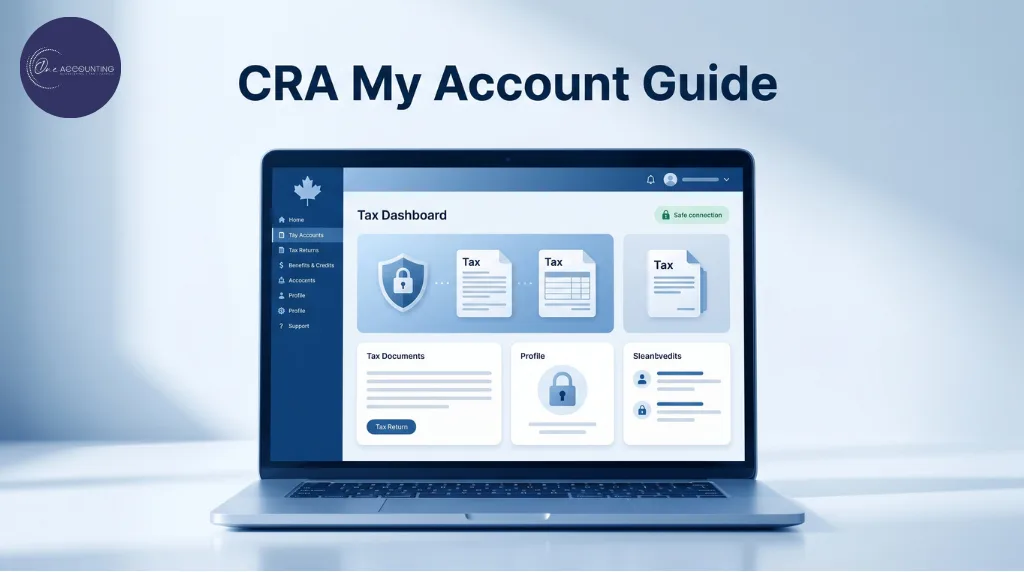
Ever had that mini heart attack where you suddenly realize you have no idea where your T4 slip is, whether your tax refund was sent, or why the CRA mailed another difficult-to-understand notice?
That exact chaos is why CRA My Account has become one of the most important financial tools for Canadians. Canadians can now check tax refunds, download T4 slips, update direct deposit details, track benefits, monitor RRSP and TFSA contribution room and even authorize accountants, all under one digital space. In essence, the CRA My Account has become the digital headquarters of personal taxes in Canada.
Its importance has grown even more after the Canada Revenue Agency introduced new authorization rules in July 2025 that changed how taxpayers grant access to accountants and tax professionals. Since many older paper-based authorization methods were phased out, Canadians are now often required to approve accountant access directly through CRA My Account.
If you do not already have a CRA My Account, 2026 is the year to set one up. Whether you are an employee, freelancer, newcomer, self-employed professional or incorporated business owner, having a CRA My Account has become essential. In this guide, we’ll break down everything you need to know about CRA My Account in 2026, including how to register, log in, recover access, authorize your accountant, fix common issues, and use the platform confidently during tax season.
By the end, you will have a clearer understanding of the tax risks tied to US expansion and the key steps Canadian businesses can take to stay compliant while protecting profits.
What is CRA My Account?
The CRA My Account is a secure online service provided by the Canada Revenue Agency (CRA). This platform allows Canadians to access and manage their personal tax and benefit information in one centralized system. Through this portal, individuals can conduct the following activities:
- View tax returns from previous years
- Check refund status
- Download tax slips like T4s and T5s
- Update your address and banking information
- Set up or modify direct deposit
- Track GST/HST credit payments
- Monitor Canada Child Benefit payments
- Check RRSP deduction limits
- View TFSA contribution room
- Manage installment payments
- Read CRA mail online
- Authorize your accountant or tax representative
- Link to business tax services if you own a company
By providing instant online access to critical tax information, CRA My Account reduces the need for lengthy phone calls and paper-based communication. This makes tax management faster, more organized and more convenient for Canadians.
Why CRA My Account Matters More Than Ever (2025 Rule Change)
Today, the CRA My Account serves as the primary gateway for managing personal tax information, accessing benefit payments, tracking refunds, downloading tax slips, monitoring RRSP and TFSA contribution limits and receiving official communication from the Canada Revenue Agency. As tax administration in Canada becomes increasingly digital, having quick and secure access to your CRA information is no longer just convenient, it has become a necessary part of staying financially organized.
Its importance increased significantly following a major CRA policy update introduced on the 15th of July of 2025. The Canada Revenue Agency officially retired the older paper-based authorization process previously used by many taxpayers to grant accountants access to their tax files. Under the new system, Canadians who work with accountants or tax professionals must now provide authorization digitally through their own CRA My Account in many situations. This change affects employees, self-employed individuals, incorporated business owners, newcomers and virtually anyone seeking professional tax assistance.
As a result, taxpayers without CRA My Account access may experience delays during tax season, especially when accountants cannot retrieve important documents, notices of assessment, installment balances, or tax information directly from CRA systems. In many cases, setting up CRA My Account has become the first and most important step toward filing taxes efficiently and securely by eliminating any unnecessary complications.
What You Need Before You Register for CRA My Account
Before registering for CRA My Account, one must gather all the required information and documents in advance. This eliminates any delays or verification issues during setup. The Canada Revenue Agency uses strict identity verification measures to protect taxpayer information and even small mismatches in personal details can temporarily prevent access during registration. Preparing everything beforehand makes the process significantly faster and helps reduce many of the common errors first-time users experience.
To successfully create your CRA My Account, you should have the following information ready:
- Social Insurance Number (SIN)
- Date of birth
- Current postal code exactly as it appears in CRA records
- Details from your most recently filed tax return
- Access to a mobile phone or authenticator app for multi-factor authentication (MFA)
- Active email address for notifications and account recovery
- Optional: Government-issued photo ID for instant identity verification
It is important to note that the CRA now offers faster identity verification for eligible users through digital photo ID validation. If instant verification is unavailable, the agency will mail a CRA security code to your registered address, which can take several business days to arrive. It is also important to verify that your address and postal code match CRA records before beginning registration, especially if you recently moved or updated personal information with the agency.
3 Ways to Register Your CRA My Account
Sign-In Partner (Fastest and Most Popular Option)
The Sign-In Partner method is the most commonly used way to access the CRA My Account in Canada. This option allows users to sign in using the same online banking credentials they already use with participating Canadian banks and credit unions.
Instead of creating a separate CRA username and password, taxpayers can securely log in through their existing financial institution. Most major Canadian banks support this method, making it the fastest and most convenient option for many users. It also reduces the need to remember additional login credentials while still maintaining CRA security standards and multi-factor authentication requirements.
CRA User ID and Password
The CRA User ID and Password option allows individuals to create a dedicated login specifically for CRA services. This method is useful for users who prefer keeping their banking credentials separate from government services or who do not use a participating financial institution.
During registration, users create a CRA username, password and security questions that they will use for future access. Although setup may take slightly longer compared to the Sign-In Partner method, it provides direct access to CRA services without relying on online banking platforms.
Provincial Partner (Available for Select Provinces)
Residents of certain provinces, including Alberta and British Columbia, may also have access to provincial sign-in services connected to CRA systems. This option allows eligible users to access CRA My Account using approved provincial digital identity credentials where supported.
Step-by-Step CRA My Account Registration Guide (2026)
Registering for CRA My Account for the first time may seem complicated, especially because the Canada Revenue Agency uses strict identity verification and security measures to protect taxpayer information. However, the process becomes much easier when you follow each step carefully and prepare your documents in advance. Once your account is created, you will be able to manage most personal tax activities online without needing to call the CRA or wait for paper correspondence. Here are the step-by-step instructions to make the registration simple for you:
Step 1: Visit the Official CRA Website
Begin by visiting the official Canada Revenue Agency website and selecting the CRA My Account registration page. It is important to use only the official CRA portal to avoid phishing websites or fraudulent links pretending to offer government services. Once you reach the page, click the “Register” option to begin creating your account. Before starting, make sure you have:
- Your Social Insurance Number (SIN)
- Your date of birth
- Your current postal code
- Information from your most recently filed tax return
- Access to your phone or authenticator app for verification
We highly recommend using a secure internet connection and an updated browser, as you will be entering sensitive personal information during registration.
Step 2: Choose Your Sign-In Method
The CRA currently offers three different ways to register and access CRA My Account. The first and most popular option is the Sign-In Partner method, which allows users to log in using existing online banking credentials from participating Canadian banks and credit unions. This is generally the fastest and easiest option because it eliminates the need to create another username and password.
The second option is to create a CRA User ID and Password directly through the CRA website. This method is useful for individuals who prefer keeping banking credentials separate from government logins or who do not use a participating bank.
The third option is the Provincial Partner sign-in service, which is available for eligible residents of provinces such as Alberta and British Columbia through approved provincial digital identity systems.
Step 3: Enter Your Personal and Tax Information
After selecting your sign-in method, the CRA will ask you to verify your identity using personal and tax-related details. You will need to enter information exactly as it appears in CRA records. Even small errors can cause registration delays or verification failures. The CRA may ask for:
- Your SIN
- Date of birth
- Postal code
- Details from your previously filed tax return
Many registration problems occur because taxpayers recently moved and forgot to update their address with the CRA. Double-check all information carefully before continuing.
Step 4: Set Up Multi-Factor Authentication (MFA)
Canadian residents holding US-based assets—such as US real estate or US-listed investments—should also be aware of potential US estate tax exposure. Depending on the value and structure, US estate tax can apply even if the individual is not a US citizen.
Proper planning is often needed when US-situs assets are involved, particularly for high-net-worth individuals and business owners.
To improve account security, the CRA now requires multi-factor authentication for all users. During setup, you will choose a verification method such as text message verification, phone verification, or an authenticator application. Each time you log into CRA My Account, you may be required to enter a temporary security code in addition to your password.
If you use an authenticator app, it is important to store your recovery codes safely. Many Canadians experience login issues later after changing phones or losing access to their old verification device.
Step 5: Complete Identity Verification
Once your personal information and MFA setup are complete, the CRA must verify your identity before granting full account access. Some users may qualify for instant verification using government-issued photo identification such as a passport or driver’s license. This option allows immediate access once the identity check is approved.
If instant verification is unavailable, the CRA will mail a security code to the address listed on your CRA records. This process can take up to 10 business days. After receiving the code, you must log back into your partially registered account and enter the code to activate full access.
Step 6: Access Your CRA My Account Dashboard
After successful verification, your CRA My Account dashboard will become fully accessible. From this portal, you can manage most personal tax functions online, including reviewing tax returns, checking refund status, downloading tax slips, updating direct deposit details, viewing notices of assessment, monitoring benefit payments and tracking RRSP and TFSA contribution room.
The portal also allows Canadians to authorize accountants or tax professionals digitally, which became especially important following the CRA authorization rule changes introduced in July 2025
How to Log In to CRA My Account After Registration
Once your CRA My Account registration has been completed and your identity has been verified, accessing your account becomes a relatively straightforward process. Canadians can log into the portal at any time to review tax information, check refund status, download tax slips, monitor benefit payments, or manage account settings. Since CRA My Account contains sensitive financial and personal information, the Canada Revenue Agency uses multiple layers of security during login, including multi-factor authentication (MFA).
To access your account, visit the official CRA My Account login page and choose the same sign-in method you selected during registration. Depending on your setup, you can log in using one of the following options:
- Sign-In Partner using your online banking credentials
- CRA User ID and Password
- Provincial Partner credentials for eligible provinces
After entering your login credentials, the CRA will ask you to complete multi-factor authentication. This usually involves entering a temporary security code sent through text message, phone verification, or an authenticator application. Once verified, you will gain access to your CRA dashboard and tax information.
Now let’s take a look at some of the common issues associated with CRA My account:
Forgot Your CRA Username or Password
Although the CRA My Account login process is generally straightforward, many users experience problems related to forgotten usernames or passwords. If this happens, the CRA provides recovery options directly on the login page. Users can usually reset their passwords by answering security questions or verifying identity information connected to their account. However, if your recovery details are outdated or no longer accessible, you may need to contact the CRA directly to complete manual identity verification before access can be restored.
Locked CRA Account After Multiple Login Attempts
Another common issue involves temporary account lockouts caused by multiple unsuccessful login attempts. The CRA automatically locks accounts after repeated failed password entries as a security precaution designed to protect taxpayer information from unauthorized access. In many cases, users may need to wait for the temporary lock period to end before trying again. If the issue continues, contacting CRA support may be necessary to unlock the account and restore access.
Multi-Factor Authentication (MFA) Problems
Multi-factor authentication issues have become increasingly common, especially among users who change phones without transferring authenticator applications or updating phone numbers linked to their CRA accounts. Many Canadians lose access after replacing devices and forgetting to move their MFA settings beforehand. To reduce the risk of future login problems, users should:
- Save backup authentication or recovery codes securely
- Update phone numbers before changing devices
- Keep recovery information current
- Maintain access to the email address and phone number connected to the account
Keeping your login credentials and verification settings updated can help prevent unnecessary delays, particularly during tax season when access to CRA My Account becomes extremely important.
What You Can Do Inside CRA My Account
CRA My Account is designed to serve a wide range of taxpayers across Canada, from salaried employees and freelancers to incorporated business owners and investors. Once logged in, users can access a centralized dashboard that provides direct access to tax records, benefit information, payment details, notices, contribution limits and communication from the Canada Revenue Agency. The features available inside the portal can vary depending on your financial situation, employment status and whether you operate a business. Here’s a detailed look at the access levels and functions:
For Employees and Individual Taxpayers
For most Canadians, CRA My Account functions as a convenient online hub for managing personal tax information throughout the year. Employees and individual taxpayers commonly use the portal to access important tax documents, monitor refunds and track government benefit payments without needing to wait for paper correspondence. Inside the portal, individuals can:
- Download T4, T5, and other available tax slips
- Check the status of tax refunds
- View notices of assessment and reassessments
- Access GST/HST credit details
- Monitor Canada Child Benefit payments
- Update direct deposit and banking information
- Track RRSP deduction limits
- Check TFSA contribution room
- Receive official CRA messages electronically
This feature becomes especially useful during tax season when employers, banks or investment platforms delay sending tax slips by mail or email. In many cases, taxpayers can access these documents directly through CRA systems much earlier, helping them file taxes faster and more accurately.
For Self-Employed Individuals and Freelancers
Self-employed Canadians, freelancers, independent contractors, and gig workers often rely heavily on CRA My Account to monitor ongoing tax obligations and manage installment payments throughout the year. Since self-employed individuals are responsible for tracking income and tax payments independently, having centralized access to CRA records can help reduce filing mistakes and missed deadlines. Self-employed taxpayers can use the portal to:
- Monitor tax installment balances and due dates
- Review reported income information
- Check previous tax returns and filing history
- Access notices of assessment and reassessments
- View GST/HST account details where applicable
- Track outstanding balances or CRA payments owed
- Review carry-forward amounts and deductions
The platform also helps users stay updated on CRA correspondence and installment reminders, which can help avoid interest charges or late payment penalties.
For Business Owners and Incorporated Professionals
Business owners and incorporated professionals often use CRA My Account together with CRA My Business Account to manage both personal and corporate tax responsibilities. While CRA My Account focuses primarily on personal tax information, it also allows business owners to manage representative access and connect with additional CRA business services. Inside CRA My Account, business owners may:
- Access personal tax records and notices
- Authorize accountants or tax professionals digitally
- Manage representative permissions
- Link to CRA business services and accounts
Many incorporated business owners also require CRA My Business Account, which is a separate CRA portal specifically designed for business-related tax administration. Through My Business Account, users can manage:
- GST/HST accounts
- Payroll deductions and remittances
- Corporate income tax accounts
- Business correspondence from the CRA
- Employee payroll obligations
- Business installment payments
Following the CRA authorization rule changes introduced in July 2025, digital authorization through CRA My Account has become especially important for business owners working with accountants or tax professionals.
Common Problems in CRA My Account and How to Fix Them
Let’s take a look at the most common issues people come across with CRA My accounts:
| Problem | Likely Cause | Solution |
| Postal code not matching | CRA records outdated | Update address with CRA |
| Cannot verify identity | Tax info mismatch | Use exact details from last filed return |
| Security code delayed | Mail processing delays | Wait up to 10 business days |
| Locked account | Too many login attempts | Contact CRA support |
| Lost MFA access | Old phone or app removed | Call CRA to reset MFA |
| Cannot authorize accountant | Missing CRA My Account | Register and approve representative digitally |
| Direct deposit issues | Old bank account on file | Update banking info inside the portal |
Some Canadians also reported delays after changing banking information or losing old phone numbers tied to MFA verification.
CRA My Account vs. My Business Account
One of the most common areas of confusion for Canadian taxpayers is the difference between CRA My Account and CRA My Business Account. Although both platforms are operated by the Canada Revenue Agency, they are designed for completely different purposes and serve different types of users. Understanding the distinction between these two systems is especially important for self-employed individuals, incorporated professionals, small business owners and anyone managing both personal and business tax obligations.
CRA My Account is primarily designed for individuals. This portal allows Canadians to manage personal tax matters such as viewing tax returns, checking refund status, downloading tax slips, monitoring RRSP and TFSA contribution room, tracking government benefits and receiving official CRA correspondence. Employees, freelancers, retirees, students and self-employed individuals commonly use CRA My Account to manage their personal tax information throughout the year. It is also the platform now used by many taxpayers to digitally authorize accountants and tax representatives following the CRA authorization changes introduced in July 2025.
CRA My Business Account, on the other hand, is specifically designed for businesses and corporate tax administration. This platform is mainly used by incorporated companies, employers and business owners who need to manage GST/HST accounts, payroll deductions, corporate income taxes, employee remittances and business-related CRA correspondence. Through this portal, businesses can monitor payroll obligations, file GST/HST returns, review account balances and manage multiple CRA business program accounts from one centralized dashboard.
Many incorporated business owners eventually require access to both systems because personal taxes and corporate taxes are handled separately by the CRA. For example, a business owner may use CRA My Account for personal income taxes while simultaneously using My Business Account to manage payroll remittances, GST/HST filings and corporate tax obligations for their company.
Simplify Your CRA My Account Setup with One Accounting
Setting up and managing CRA My Account is much more important than it used to be, especially after the CRA’s July 2025 authorization changes that now require many taxpayers to approve accountant access digitally through their own accounts. While the registration process itself may seem straightforward, many Canadians still run into issues involving identity verification, representative authorization, multi-factor authentication, missing tax records, delayed security codes, or business account linking. These problems can quickly slow down tax filing and create unnecessary stress during tax season.
This is where One Accounting can help. As a Canadian CPA firm providing accounting, bookkeeping, payroll, tax preparation and advisory services across Canada, One Accounting helps individuals, freelancers, incorporated business owners and growing companies navigate CRA systems with greater confidence. Their team supports clients with CRA My Account registration, digital accountant authorization, business account setup, tax filing coordination, payroll management, GST/HST administration and cloud-based financial management solutions.
With experienced CPAs, cloud-based accounting technology, responsive support, and both virtual and in-person services across multiple Canadian locations, One Accounting helps simplify the administrative side of taxes so clients can focus more on business growth and financial planning rather than CRA complications.
As CRA services continue moving toward digital-first tax administration, having a properly configured CRA My Account is quickly becoming essential for Canadians in 2026 and beyond. Contact us today to get started on your CRA My account today!
FAQ
Can I register for CRA My Account without ever filing taxes?
The CRA usually requires information from at least one previously filed and processed tax return to verify your identity during registration. Due to this, first-time filers and newcomers may need to file their first tax return before gaining full access.
How long does CRA My Account setup take?
A CRA account setup time depends on the verification method used. Instant digital ID verification may provide access on the same day, while mailed CRA security codes can take up to 10 business days to arrive within Canada.
Can my accountant access my CRA My Account without my approval?
As per CRA’s July 2025 authorization changes, taxpayers must now approve accountant or representative access digitally through their own CRA My Account in many situations before accountants can retrieve tax information directly from CRA systems.
Is CRA My Account safe to use?
Yes. CRA My Account uses encrypted systems, identity verification procedures and multi-factor authentication (MFA) to help protect taxpayer information. Users should still maintain strong passwords and keep recovery information updated.
What if I’m a newcomer to Canada?
Newcomers can register for CRA My Account after obtaining a valid SIN and filing an eligible Canadian tax return. The portal can then be used to manage refunds, benefits, and CRA correspondence online.
I’m incorporated. Which CRA account do I need?
Most incorporated business owners need both CRA My Account and CRA My Business Account. One manages personal taxes, while the other handles GST/HST, payroll, and corporate tax obligations.
Can I access CRA My Account from outside Canada?
Yes, users living abroad may experience MFA or verification issues if their Canadian phone number is inactive. Keeping recovery information updated before leaving Canada is highly recommended.
Share:
Recent Blogs
Top Tax Write-Offs for Small Businesses in Canada
10 Commonly Missed Tax Credits & Deductions for 2026
GST/HST Credit Payment Dates in Canada
What Is a Compilation Engagement?
What Is the Toronto Vacant Home Tax?
Internal auditor vs external auditors
The Basics of Accounting Services Every Business Should Know

Kamal Harichandran
Masters in Accounting — Asst. Accounting Manager, One Accounting
Kamal Harichandran holds a Master's degree in Accounting and serves as the Assistant Accounting Manager at One Accounting. Kamal specialises in bookkeeping, payroll, and corporate tax filings, working closely with the management team to deliver efficient and accurate financial services to clients. His academic background and practical experience give him a thorough command of accounting standards and compliance requirements in Canada. Kamal is dedicated to helping businesses stay organised, compliant, and financially informed, contributing significantly to the firm's reputation for reliable and professional service.
- Phone: +1 647-847-4858
- Email: [email protected]
